








Crossmath




Istruzioni
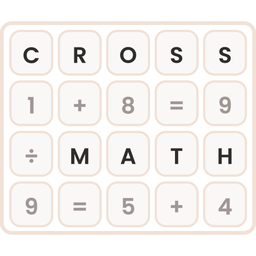
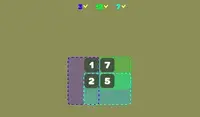
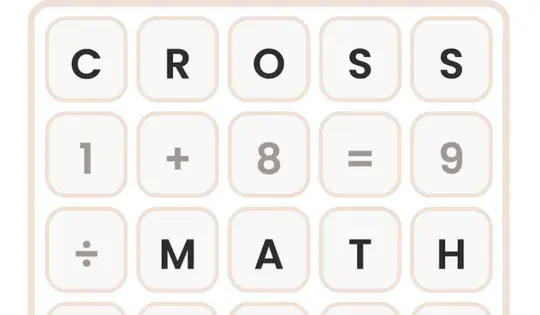
Your goal is to fill in the blank spaces on the grid with the correct numbers. Click and drag the number tiles from the tray at the bottom into the empty boxes on the grid. Every number you drag onto has to make the equations correct in all directions.
When an equation is correct, its boxes turn green. If it's incorrect, the boxes turn red. Click a number on the grid to send it back to the tray.
If you get stuck, click the lightbulb for a hint. It lights up the right tile and the box where it goes. You can also use the Undo button to take back a move, or the Restart button to start the puzzle over.
There are four level packs to choose from:
- Addition
- Subtraction
- Multiplication
- Division
Can you solve every problem in every pack?
Your goal is to fill in the blank spaces on the grid with the correct numbers. Click and drag the number tiles from the tray at the bottom into the empty boxes on the grid. Every number you drag onto has to make the equations correct in all directions.
When an equation is correct, its boxes turn green. If it's incorrect, the boxes turn red. Click a number on the grid to send it back to the tray.
If you get stuck, click the lightbulb for a hint. It lights up the right tile and the box where it should go. You can also click on a number on the grid to return it to the tray, or click the Undo button to undo your last action. If you want to clear everything from the grid, click the Restart button.
There are four level packs to choose from:
- Addition: only includes addition problems
- Subtraction: includes addition and subtraction
- Multiplication: includes addition, subtraction, and multiplication
- Division: includes all four operations
Come giocare Crossmath sul tuo telefono
Lo sapevi che puoi anche giocare Crossmath sul tuo telefono? È un ottimo modo per giocare senza preoccuparsi di perdere i dati di salvataggio.
Per i dispositivi iOS, tocca semplicemente il "Condividere" icona  in Safari e seleziona "Aggiungere alla schermata Home". Per i dispositivi Android, tocca l'icona "Menu".
 e seleziona "Install App".
Avanzamento del gioco


Istruzioni
Your goal is to fill in the blank spaces on the grid with the correct numbers. Click and drag the number tiles from the tray at the bottom into the empty boxes on the grid. Every number you drag onto has to make the equations correct in all directions.
When an equation is correct, its boxes turn green. If it's incorrect, the boxes turn red. Click a number on the grid to send it back to the tray.
If you get stuck, click the lightbulb for a hint. It lights up the right tile and the box where it goes. You can also use the Undo button to take back a move, or the Restart button to start the puzzle over.
There are four level packs to choose from:
- Addition
- Subtraction
- Multiplication
- Division
Can you solve every problem in every pack?
Come giocare Crossmath sul tuo telefono
Giocare Crossmath facilmente in qualsiasi momento, puoi aggiungerlo direttamente al tuo telefono come app. È un ottimo modo per giocare senza preoccuparsi di perdere i dati di salvataggio del gioco.
Per i dispositivi iOS, tocca semplicemente il "Condividere" icône in Safari e seleziona "Aggiungi alla schermata principale "Per i dispositivi Android, tocca l'icona "Menu". e seleziona "Installa app".