




抱歉...这个游戏在您的浏览器中无法播放。

此Flash游戏当前在您的浏览器中不可玩,但我们正在研究修复程序!定期回来看看是否准备好玩。
大多数浏览器不再支持闪光灯。受影响的游戏由


游戏内容审核者Jonathan Keefer
指示
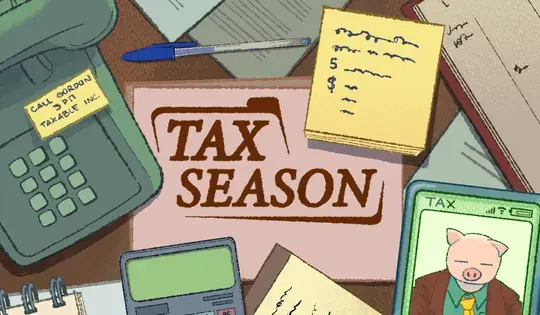
Become a tax pro! You were hired to do your client's taxes and your boss, Gordon P. Ledger, is going to make you the best accountant ever! Tap to proceed through the dialogue.
When you start your job, your client's messages will appear on the left side of the screen. When you see a message with a green paper icon next to it, tap that icon to print the paper. This paper is a claim from your client and the first type of claim you'll get is for income. When you have printed all the income claims, drag the paper into the income drawer. Once all papers are in the drawer, tap and drag on the drawer for it to shut, calculate the total income, and print out the total income. Once you have the total income, drag it to the Super Tax Calculator to get the calculated tax. Once you have the calculated tax form, drag it to the client for Gordon to review. If you make any mistakes, Gordon will be sure to let you know!
If you end up printing a claim you don't need or mess up a form along the way, drag that paper to the red shredder to get rid of it.
Each year, there may be some changes to how the taxes are done and can introduce new things such as deductions and credits. On the right side of your screen is your tax guide - which will be updated each year to reflect any new changes. Tap on the red tab with the notebook to open the guide and read through it.
Become a tax pro! You were hired to do your client's taxes and your boss, Gordon P. Ledger, is going to make you the best accountant ever! Left Click to proceed through the dialogue.
When you start your job, your client's messages will appear on the left side of the screen. When you see a message with a green paper icon next to it, click that icon to print the paper. This paper is a claim from your client and the first type of claim you'll get is for income. When you have printed all the income claims, click on the paper and drag it into the income drawer. Once all papers are in the drawer, click on the drawer and slide it down for the drawer to shut, calculate the total income, and print out the total income. Once you have the total income, drag it to the Super Tax Calculator to get the calculated tax. Once you have the calculated tax form, click on it and drag it to the client for Gordon to review. If you make any mistakes, Gordon will be sure to let you know!
If you end up printing a claim you don't need or mess up a form along the way, drag that paper to the red shredder to get rid of it.
Each year, there may be some changes to how the taxes are done and can introduce new things such as deductions and credits. On the right side of your screen is your tax guide - which will be updated each year to reflect any new changes. Click on the red tab with the notebook to open the guide and read through it.

游戏内容审核者Jonathan Keefer
指示
Become a tax pro! You were hired to do your client's taxes and your boss, Gordon P. Ledger, is going to make you the best accountant ever! Tap to proceed through the dialogue.
When you start your job, your client's messages will appear on the left side of the screen. When you see a message with a green paper icon next to it, tap that icon to print the paper. This paper is a claim from your client and the first type of claim you'll get is for income. When you have printed all the income claims, drag the paper into the income drawer. Once all papers are in the drawer, tap and drag on the drawer for it to shut, calculate the total income, and print out the total income. Once you have the total income, drag it to the Super Tax Calculator to get the calculated tax. Once you have the calculated tax form, drag it to the client for Gordon to review. If you make any mistakes, Gordon will be sure to let you know!
If you end up printing a claim you don't need or mess up a form along the way, drag that paper to the red shredder to get rid of it.
Each year, there may be some changes to how the taxes are done and can introduce new things such as deductions and credits. On the right side of your screen is your tax guide - which will be updated each year to reflect any new changes. Tap on the red tab with the notebook to open the guide and read through it.
Become a tax pro! You were hired to do your client's taxes and your boss, Gordon P. Ledger, is going to make you the best accountant ever! Left Click to proceed through the dialogue.
When you start your job, your client's messages will appear on the left side of the screen. When you see a message with a green paper icon next to it, click that icon to print the paper. This paper is a claim from your client and the first type of claim you'll get is for income. When you have printed all the income claims, click on the paper and drag it into the income drawer. Once all papers are in the drawer, click on the drawer and slide it down for the drawer to shut, calculate the total income, and print out the total income. Once you have the total income, drag it to the Super Tax Calculator to get the calculated tax. Once you have the calculated tax form, click on it and drag it to the client for Gordon to review. If you make any mistakes, Gordon will be sure to let you know!
If you end up printing a claim you don't need or mess up a form along the way, drag that paper to the red shredder to get rid of it.
Each year, there may be some changes to how the taxes are done and can introduce new things such as deductions and credits. On the right side of your screen is your tax guide - which will be updated each year to reflect any new changes. Click on the red tab with the notebook to open the guide and read through it.