













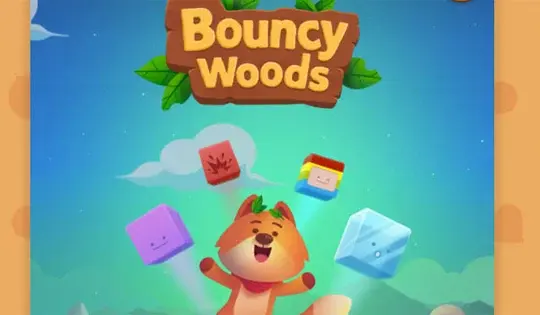
Bouncy Woods









Instructions
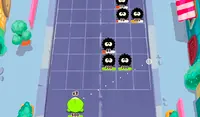
Destroy the blocks before they reach the bottom of the grid! Each level requires you to destroy a certain number of blocks, indicated in the upper-right corner of the screen. Your ducks can help you! Tap and drag to set your aim. Once you're ready to fire, release. All your ducks will fly to the grid and collide with the blocks to get rid of them!
Each block requires a certain number of hits before it's removed from the grid. You can see how many hits the block needs, indicated by the number above the block. Try to collect the ducks on the grid so you can have more to help you!
You'll also earn power-ups to use on the grid. Bombs can be used to destroy everything around where you place them. Firecrackers will clear out an entire row. The pause clip can be used to prevent the blocks from moving down the grid for three turns. Tap on the icon of the power-up you want to use in the bottom right corner of the screen.
If it takes time before your ducks come back, you can click the fast forward button to make the level go faster.
Destroy the blocks before they reach the bottom of the grid! Each level requires you to destroy a certain number of blocks, indicated in the upper-right corner of the screen. Your ducks can help you! Left Click and drag your mouse to set your aim. Once you're ready to fire, release. All your ducks will fly to the grid and collide with the blocks to get rid of them!
Each block requires a certain number of hits before it's removed from the grid. You can see how many hits the block needs, indicated by the number above the block. Try to collect the ducks on the grid so you can have more to help you!
You'll also earn power-ups to use on the grid. Bombs can be used to destroy everything around where you place them. Firecrackers will clear out an entire row. The pause clip can be used to prevent the blocks from moving down the grid for three turns. Click on the icon of the power-up you want to use in the bottom right corner of the screen.
If it takes time before your ducks come back, you can click the fast forward button to make the level go faster.
How many levels are there in Bouncy Woods?
Bouncy Woods has 40 total levels, spanning across 3 different worlds. The levels take progressively longer as you go, so you'll need to be prepared for the long haul.
How can I get better at Bouncy Woods?
The key to Bouncy Woods is using your moves as efficiently as possible. You want to really take your time and visualize what the best path possible will be, don't just rush through each decision.
How to play Bouncy Woods on your phone
Did you know you can also play Bouncy Woods on your phone? It’s a great way to play without worrying about losing your save data.
For iOS devices, simply tap the "Share" icon  in Safari and select "Add to Home Screen". For Android devices, tap the “Menu” icon
  and select "Install App".
Game Progress


Instructions
Destroy the blocks before they reach the bottom of the grid! Each level requires you to destroy a certain number of blocks, indicated in the upper-right corner of the screen. Your ducks can help you! Tap and drag to set your aim. Once you're ready to fire, release. All your ducks will fly to the grid and collide with the blocks to get rid of them!
Each block requires a certain number of hits before it's removed from the grid. You can see how many hits the block needs, indicated by the number above the block. Try to collect the ducks on the grid so you can have more to help you!
You'll also earn power-ups to use on the grid. Bombs can be used to destroy everything around where you place them. Firecrackers will clear out an entire row. The pause clip can be used to prevent the blocks from moving down the grid for three turns. Tap on the icon of the power-up you want to use in the bottom right corner of the screen.
If it takes time before your ducks come back, you can click the fast forward button to make the level go faster.
How many levels are there in Bouncy Woods?
Bouncy Woods has 40 total levels, spanning across 3 different worlds. The levels take progressively longer as you go, so you'll need to be prepared for the long haul.
How can I get better at Bouncy Woods?
The key to Bouncy Woods is using your moves as efficiently as possible. You want to really take your time and visualize what the best path possible will be, don't just rush through each decision.
How to play Bouncy Woods on your phone
To play Bouncy Woods easily any time, you can add it directly to your phone as an app. It’s a great way to play without worrying about losing your game save data.
For iOS devices, simply tap the "Share" icon in Safari and select "Add to Home Screen". For Android devices, tap the “Menu” icon and select "Install App".

Votes