









Bubble Up

Instructions
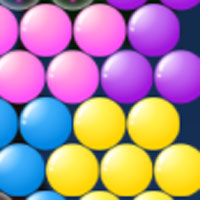
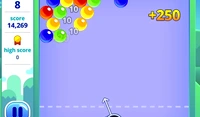
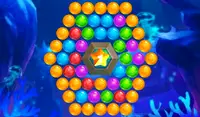
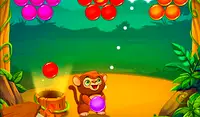
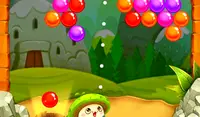
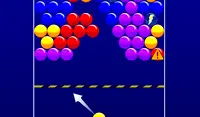
Pop all the bubbles to reach the top! Drag to set your aim. Once you're ready, release to fire the orb. Fire at orbs that are the same color as yours to remove them from the grid. If your orb hits 2 or more orbs of the same color, all of those orbs will pop. The number in the upper right corner of the screen shows how many orbs you need to remove from the board to win.
If your current orb doesn't have a good spot to go, tap the white circle to switch the orb with the next one. The number in the middle of the white orb shows how many shots you have to complete the level.
Pop the bubbles as quickly as you can to earn all 3 stars. Bubbles you didn't fire and stars you earned will be collected at the end of the level. After collecting a certain amount, you'll receive a gift! The treasure chest with stars gives you coins, and the treasure chest with orbs gives you boosters.
As you progress, you will unlock boosters to help you. Once unlocked, tap a booster from the bottom of the screen to purchase it with your coins. The booster will be loaded into your launcher to use next. Use bombs to remove a section of orbs. Use a rainbow ball to change the color of the orbs in the grid to accept any color you want. Use the laser to remove a row of orbs, and use the rocket to remove a line of orbs.
Pop all the bubbles to reach the top! Left Click and drag your mouse to set your aim. Once you're ready, release to fire the orb. Fire at orbs that are the same color as yours to remove them from the grid. If your orb hits 2 or more orbs of the same color, all of those orbs will pop. The number in the upper right corner of the screen shows how many orbs you need to remove from the board to win.
If your current orb doesn't have a good spot to go, click the white circle to switch the orb with the next one. The number in the middle of the white orb shows how many shots you have to complete the level.
Pop the bubbles as quickly as you can to earn all 3 stars. Bubbles you didn't fire and stars you earned will be collected at the end of the level. After collecting a certain amount, you'll receive a gift! The treasure chest with stars gives you coins, and the treasure chest with orbs gives you boosters.
As you progress, you will unlock boosters to help you. Once unlocked, click a booster from the bottom of the screen to purchase it with your coins. The booster will be loaded into your launcher to use next. Use bombs to remove a section of orbs. Use a rainbow ball to change the color of the orbs in the grid to accept any color you want. Use the laser to remove a row of orbs, and use the rocket to remove a line of orbs.
How to play Bubble Up on your phone
Did you know you can also play Bubble Up on your phone? It’s a great way to play without worrying about losing your save data.
For iOS devices, simply tap the "Share" icon  in Safari and select "Add to Home Screen". For Android devices, tap the “Menu” icon
 and select "Install App".
Game Progress


Instructions
Pop all the bubbles to reach the top! Drag to set your aim. Once you're ready, release to fire the orb. Fire at orbs that are the same color as yours to remove them from the grid. If your orb hits 2 or more orbs of the same color, all of those orbs will pop. The number in the upper right corner of the screen shows how many orbs you need to remove from the board to win.
If your current orb doesn't have a good spot to go, tap the white circle to switch the orb with the next one. The number in the middle of the white orb shows how many shots you have to complete the level.
Pop the bubbles as quickly as you can to earn all 3 stars. Bubbles you didn't fire and stars you earned will be collected at the end of the level. After collecting a certain amount, you'll receive a gift! The treasure chest with stars gives you coins, and the treasure chest with orbs gives you boosters.
As you progress, you will unlock boosters to help you. Once unlocked, tap a booster from the bottom of the screen to purchase it with your coins. The booster will be loaded into your launcher to use next. Use bombs to remove a section of orbs. Use a rainbow ball to change the color of the orbs in the grid to accept any color you want. Use the laser to remove a row of orbs, and use the rocket to remove a line of orbs.
How to play Bubble Up on your phone
To play Bubble Up easily any time, you can add it directly to your phone as an app. It’s a great way to play without worrying about losing your game save data.
For iOS devices, simply tap the "Share" icon in Safari and select "Add to Home Screen". For Android devices, tap the “Menu” icon and select "Install App".