













CCMMYY





 4.0 / 5(421 Votes)
Instructions
Swipe your finger to move. Tap U to undo, and tap the circle button to restart a level.
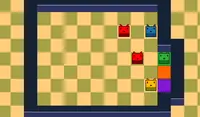
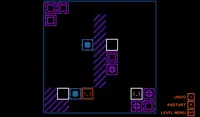
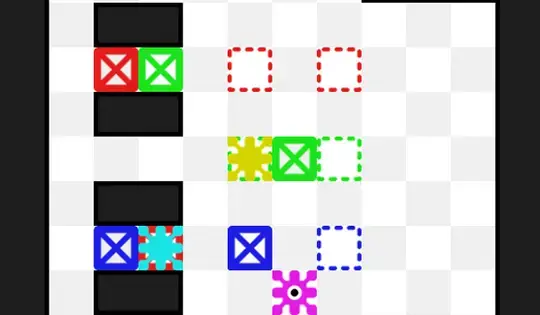
You have three colors to control: cyan, magenta, and yellow. Your goal is to get the boxes of the same color into the outline that matches with their color. To change colors, tap the color you want to control.
Sometimes you'll need to push blocks of different colors. Keep an eye on the hints that show you which colors can move which blocks. Can you clear all the levels?
Use WASD or the Arrow Keys to move. Press U to undo and R to restart a level.
You have three colors to control: cyan, magenta, and yellow. Your goal is to get the boxes of the same color into the outline that matches with their color. To change colors, press SPACE.
Sometimes you'll need to push blocks of different colors. Keep an eye on the hints that show you which colors can move which blocks. Can you clear all the levels?
How to play CCMMYY on your phone
Did you know you can also play CCMMYY on your phone? It’s a great way to play without worrying about losing your save data.
For iOS devices, simply tap the "Share" icon  in Safari and select "Add to Home Screen". For Android devices, tap the “Menu” icon
  and select "Install App".
Game Progress

 4.0 / 5(421 Votes)
Instructions
Swipe your finger to move. Tap U to undo, and tap the circle button to restart a level.
You have three colors to control: cyan, magenta, and yellow. Your goal is to get the boxes of the same color into the outline that matches with their color. To change colors, tap the color you want to control.
Sometimes you'll need to push blocks of different colors. Keep an eye on the hints that show you which colors can move which blocks. Can you clear all the levels?
How to play CCMMYY on your phone
To play CCMMYY easily any time, you can add it directly to your phone as an app. It’s a great way to play without worrying about losing your game save data.
For iOS devices, simply tap the "Share" icon in Safari and select "Add to Home Screen". For Android devices, tap the “Menu” icon and select "Install App".
Votes