
Ad Notice
This game is exclusively available through a publisher who has built ads into the game files. Because of this, we are unable to remove the ads for subscribers, like we do for all the other pages of the site.










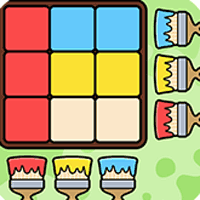


Paint Master








Instructions
Match the target pattern with layers of paint! Each level shows a paint pattern at the top of the screen. Your canvas starts out blank, and your goal is to paint it so it matches the pattern.
To paint, tap a paintbrush along the right or bottom edges of your canvas. A paintbrush at the end of a row paints that whole row, and a paintbrush below a column paints that whole column. Each new coat of paint covers what was painted before it, so the order you paint in matters. Once your canvas matches the target pattern, you'll complete the level.
The number of moves you have left is shown in the circle labeled "Move" to the right of the grid. Each tap on a paintbrush costs one move. You earn more moves with each level you complete. If you run out of moves, the game is over.
If you're stuck, tap the Magic Brush in the bottom right corner of the screen, then tap any paintbrush on your grid. The Magic Brush paints that row or column so it matches the target pattern. It doesn't cost a move, but you can only use it three times per game. The number on the Magic Brush button shows how many more times you can use it.
Match the target pattern with layers of paint! Each level shows a paint pattern at the top of the screen. Your canvas starts out blank, and your goal is to paint it so it matches the pattern.
To paint, click a paintbrush along the right or bottom edges of your canvas. A paintbrush at the end of a row paints that whole row, and a paintbrush below a column paints that whole column. Each new coat of paint covers what was painted before it, so the order you paint in matters. Once your canvas matches the target pattern, you'll complete the level.
The number of moves you have left is shown in the circle labeled "Move" to the right of the grid. Each click on a paintbrush costs one move. You earn more moves with each level you complete. If you run out of moves, the game is over.
If you're stuck, click the Magic Brush in the bottom right corner of the screen, then click any paintbrush on your grid. The Magic Brush paints that row or column so it matches the target pattern. It doesn't cost a move, but you can only use it three times per game. The number on the Magic Brush button shows how many more times you can use it.
How to play Paint Master on your phone
Did you know you can also play Paint Master on your phone? It’s a great way to play without worrying about losing your save data.
For iOS devices, simply tap the "Share" icon  in Safari and select "Add to Home Screen". For Android devices, tap the “Menu” icon
  and select "Install App".
Ad Notice
This game is exclusively available through a publisher who has built ads into the game files. Because of this, we are unable to remove the ads for subscribers, like we do for all the other pages of the site.

Game Progress


Instructions
Match the target pattern with layers of paint! Each level shows a paint pattern at the top of the screen. Your canvas starts out blank, and your goal is to paint it so it matches the pattern.
To paint, tap a paintbrush along the right or bottom edges of your canvas. A paintbrush at the end of a row paints that whole row, and a paintbrush below a column paints that whole column. Each new coat of paint covers what was painted before it, so the order you paint in matters. Once your canvas matches the target pattern, you'll complete the level.
The number of moves you have left is shown in the circle labeled "Move" to the right of the grid. Each tap on a paintbrush costs one move. You earn more moves with each level you complete. If you run out of moves, the game is over.
If you're stuck, tap the Magic Brush in the bottom right corner of the screen, then tap any paintbrush on your grid. The Magic Brush paints that row or column so it matches the target pattern. It doesn't cost a move, but you can only use it three times per game. The number on the Magic Brush button shows how many more times you can use it.
How to play Paint Master on your phone
To play Paint Master easily any time, you can add it directly to your phone as an app. It’s a great way to play without worrying about losing your game save data.
For iOS devices, simply tap the "Share" icon in Safari and select "Add to Home Screen". For Android devices, tap the “Menu” icon and select "Install App".