





Siamo spiacenti... questo gioco non è riproducibile nel tuo browser.

Questo gioco Flash non è attualmente riproducibile nel tuo browser, ma stiamo lavorando a una soluzione! Torna regolarmente per vedere se è pronto per giocare.
La maggior parte dei browser non supporta più Flash. I giochi interessati sono indicati da


Patches by LinkedIn
Contenuti del gioco recensiti daJonathan Keefer
Istruzioni
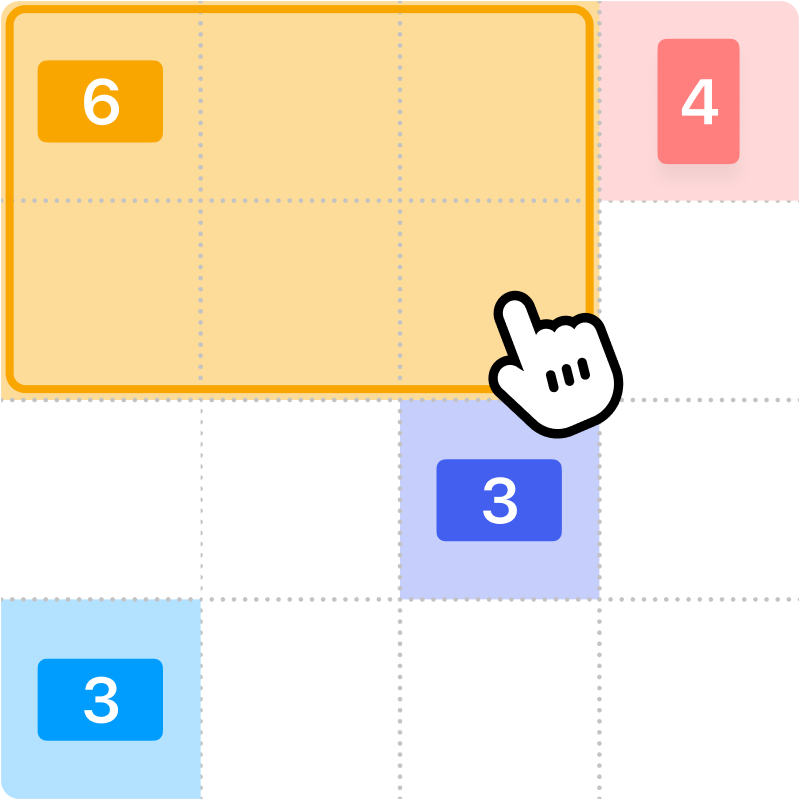
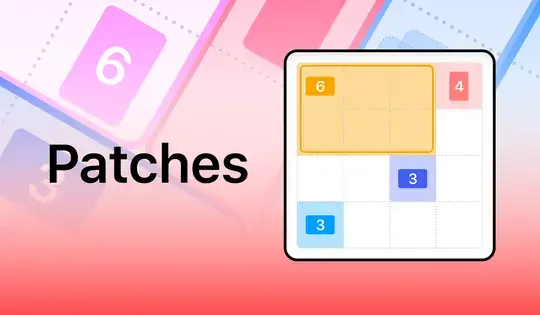
Fill up the grid with colorful shapes that won't overlap! Cells with a number on them show how many cells need to be that color. To start making your shapes, click on a numbered cell and drag your mouse to create the shape. You'll see which shape you need to make based on the icon in the numbered cell. Shapes are either squares, tall rectangles, or wide rectangles. There is also one special shape that can be a tall rectangle, wide rectangle, or square!
Once you've created the shape, release the mouse button. If the shape you made was incorrect, click on it to remove it from the grid. You can also click the Undo button to undo your last move. If you get stuck, click the Hint button to see where to draw your shape.
Try to finish the game as fast as possible, and come back each day for a new puzzle!
Riempi la griglia con forme colorate che non si sovrappongano! Le celle numerate indicano quante celle devono essere di quel colore. Per iniziare a creare le tue forme, clicca su una cella numerata e trascina il mouse per disegnarla. L'icona nella cella numerata ti indicherà quale forma devi creare. Le forme possono essere quadrati, rettangoli alti o rettangoli larghi. C'è anche una forma speciale che può essere un rettangolo alto, un rettangolo largo o un quadrato!
Una volta creata la forma, rilascia il pulsante del mouse. Se la forma creata non è corretta, cliccaci sopra per rimuoverla dalla griglia. Puoi anche cliccare sul pulsante Annulla per annullare l'ultima operazione. Se hai difficoltà, clicca sul pulsante Suggerimento per vedere dove disegnare la forma.
Cerca di completare il gioco il più velocemente possibile e torna ogni giorno per un nuovo enigma!
Just a moment while your advertisement loads
Annuncio
Just a moment while your advertisement loads
Annuncio
Patches by LinkedIn
Contenuti del gioco recensiti daJonathan Keefer
Istruzioni
Fill up the grid with colorful shapes that won't overlap! Cells with a number on them show how many cells need to be that color. To start making your shapes, click on a numbered cell and drag your mouse to create the shape. You'll see which shape you need to make based on the icon in the numbered cell. Shapes are either squares, tall rectangles, or wide rectangles. There is also one special shape that can be a tall rectangle, wide rectangle, or square!
Once you've created the shape, release the mouse button. If the shape you made was incorrect, click on it to remove it from the grid. You can also click the Undo button to undo your last move. If you get stuck, click the Hint button to see where to draw your shape.
Try to finish the game as fast as possible, and come back each day for a new puzzle!
Riempi la griglia con forme colorate che non si sovrappongano! Le celle numerate indicano quante celle devono essere di quel colore. Per iniziare a creare le tue forme, clicca su una cella numerata e trascina il mouse per disegnarla. L'icona nella cella numerata ti indicherà quale forma devi creare. Le forme possono essere quadrati, rettangoli alti o rettangoli larghi. C'è anche una forma speciale che può essere un rettangolo alto, un rettangolo largo o un quadrato!
Una volta creata la forma, rilascia il pulsante del mouse. Se la forma creata non è corretta, cliccaci sopra per rimuoverla dalla griglia. Puoi anche cliccare sul pulsante Annulla per annullare l'ultima operazione. Se hai difficoltà, clicca sul pulsante Suggerimento per vedere dove disegnare la forma.
Cerca di completare il gioco il più velocemente possibile e torna ogni giorno per un nuovo enigma!


