






Patches by LinkedIn icon

Patches by LinkedIn

Gênero:
Atualizada:
Jun 22, 2026
Liberar:
Jun 22, 2026
Plataformas:
Browser

Instruções

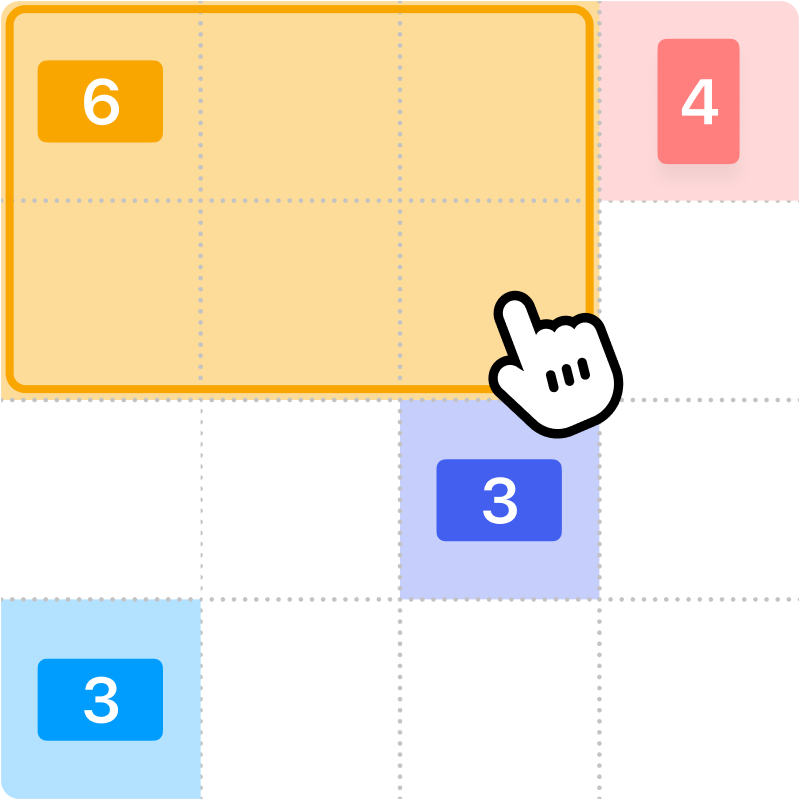
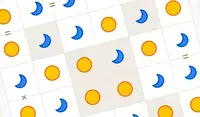
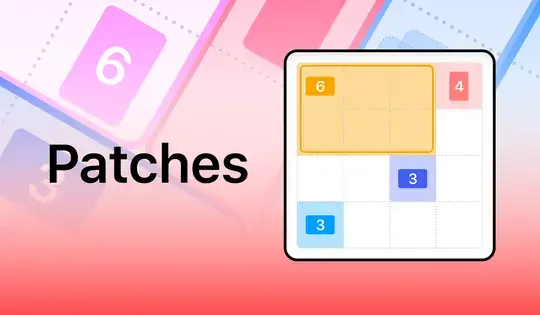
Fill up the grid with colorful shapes that won't overlap! Cells with a number on them show how many cells need to be that color. To start making your shapes, click on a numbered cell and drag your mouse to create the shape. You'll see which shape you need to make based on the icon in the numbered cell. Shapes are either squares, tall rectangles, or wide rectangles. There is also one special shape that can be a tall rectangle, wide rectangle, or square!

Once you've created the shape, release the mouse button. If the shape you made was incorrect, click on it to remove it from the grid. You can also click the Undo button to undo your last move. If you get stuck, click the Hint button to see where to draw your shape.

Try to finish the game as fast as possible, and come back each day for a new puzzle!

Preencha a grade com formas coloridas que não se sobreponham! As células com um número indicam quantas células precisam ser daquela cor. Para começar a criar suas formas, clique em uma célula numerada e arraste o mouse para criar a forma. Você verá qual forma precisa criar com base no ícone na célula numerada. As formas podem ser quadrados, retângulos altos ou retângulos largos. Há também uma forma especial que pode ser um retângulo alto, um retângulo largo ou um quadrado!

Depois de criar a forma, solte o botão do mouse. Se a forma criada estiver incorreta, clique nela para removê-la da grade. Você também pode clicar no botão Desfazer para desfazer sua última ação. Se ficar preso, clique no botão Dica para ver onde desenhar a forma.

Tente terminar o jogo o mais rápido possível e volte todos os dias para um novo quebra-cabeça!
Progresso do jogo

0 XP
Gênero:
Atualizada:
Jun 22, 2026
Liberar:
Jun 22, 2026
Plataformas:
Browser

Instruções

Fill up the grid with colorful shapes that won't overlap! Cells with a number on them show how many cells need to be that color. To start making your shapes, click on a numbered cell and drag your mouse to create the shape. You'll see which shape you need to make based on the icon in the numbered cell. Shapes are either squares, tall rectangles, or wide rectangles. There is also one special shape that can be a tall rectangle, wide rectangle, or square!

Once you've created the shape, release the mouse button. If the shape you made was incorrect, click on it to remove it from the grid. You can also click the Undo button to undo your last move. If you get stuck, click the Hint button to see where to draw your shape.

Try to finish the game as fast as possible, and come back each day for a new puzzle!

Preencha a grade com formas coloridas que não se sobreponham! As células com um número indicam quantas células precisam ser daquela cor. Para começar a criar suas formas, clique em uma célula numerada e arraste o mouse para criar a forma. Você verá qual forma precisa criar com base no ícone na célula numerada. As formas podem ser quadrados, retângulos altos ou retângulos largos. Há também uma forma especial que pode ser um retângulo alto, um retângulo largo ou um quadrado!

Depois de criar a forma, solte o botão do mouse. Se a forma criada estiver incorreta, clique nela para removê-la da grade. Você também pode clicar no botão Desfazer para desfazer sua última ação. Se ficar preso, clique no botão Dica para ver onde desenhar a forma.

Tente terminar o jogo o mais rápido possível e volte todos os dias para um novo quebra-cabeça!