





Lo sentimos... este juego no se puede jugar en tu navegador.

Este juego Flash actualmente no se puede jugar en tu navegador, ¡pero estamos trabajando para solucionarlo! Vuelve regularmente para ver si está listo para jugar.
La mayoría de los navegadores ya no son compatibles con Flash. Los juegos afectados se indican mediante


Guarde sus favoritos
Inicia sesión para guardar todos tus juegos Coolmath favoritos.
Patches by LinkedIn
Contenido del juego revisado porJonathan Keefer
Instrucciones
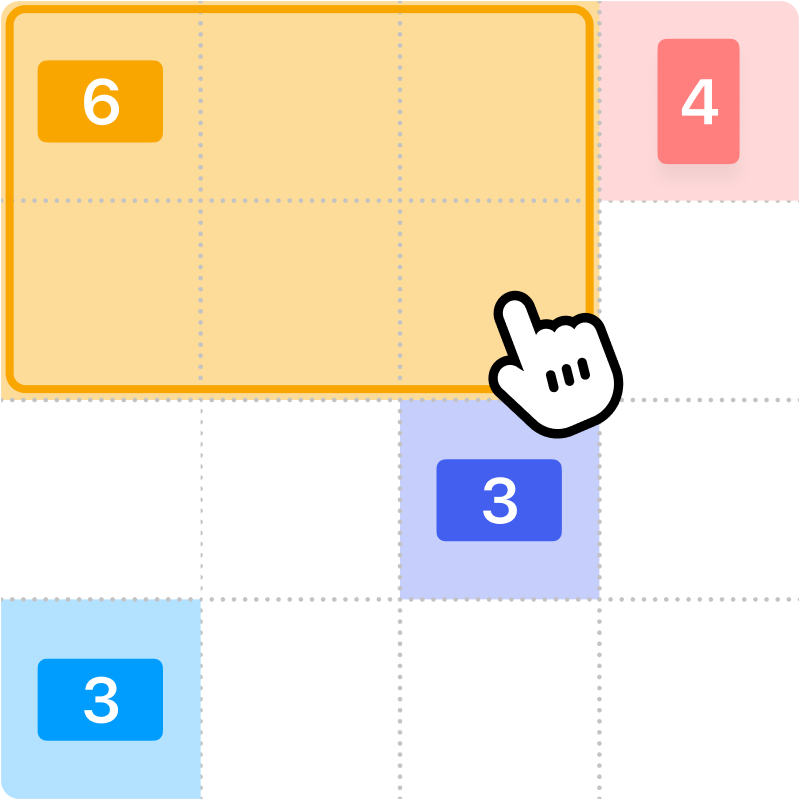
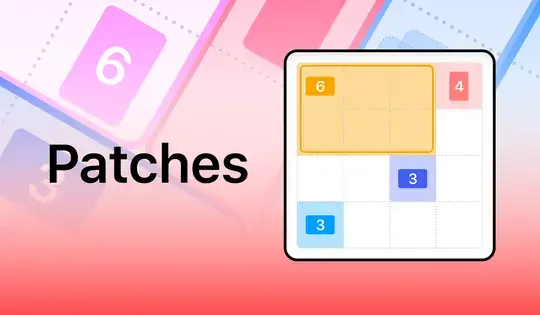
Fill up the grid with colorful shapes that won't overlap! Cells with a number on them show how many cells need to be that color. To start making your shapes, click on a numbered cell and drag your mouse to create the shape. You'll see which shape you need to make based on the icon in the numbered cell. Shapes are either squares, tall rectangles, or wide rectangles. There is also one special shape that can be a tall rectangle, wide rectangle, or square!
Once you've created the shape, release the mouse button. If the shape you made was incorrect, click on it to remove it from the grid. You can also click the Undo button to undo your last move. If you get stuck, click the Hint button to see where to draw your shape.
Try to finish the game as fast as possible, and come back each day for a new puzzle!
¡Llena la cuadrícula con figuras coloridas que no se superpongan! Las celdas numeradas indican cuántas deben ser de ese color. Para empezar a crear tus figuras, haz clic en una celda numerada y arrastra el ratón para dibujarla. Verás qué figura necesitas según el icono de la celda numerada. Las figuras pueden ser cuadrados, rectángulos altos o rectángulos anchos. ¡También hay una figura especial que puede ser un rectángulo alto, un rectángulo ancho o un cuadrado!
Una vez creada la figura, suelta el botón del ratón. Si la figura que creaste es incorrecta, haz clic sobre ella para eliminarla de la cuadrícula. También puedes hacer clic en el botón Deshacer para deshacer tu último movimiento. Si te quedas atascado, haz clic en el botón Pista para ver dónde dibujar la figura.
¡Intenta terminar el juego lo más rápido posible y vuelve cada día para un nuevo rompecabezas!
Just a moment while your advertisement loads
Advertisement
Just a moment while your advertisement loads
Advertisement
Patches by LinkedIn
Contenido del juego revisado porJonathan Keefer
Instrucciones
Fill up the grid with colorful shapes that won't overlap! Cells with a number on them show how many cells need to be that color. To start making your shapes, click on a numbered cell and drag your mouse to create the shape. You'll see which shape you need to make based on the icon in the numbered cell. Shapes are either squares, tall rectangles, or wide rectangles. There is also one special shape that can be a tall rectangle, wide rectangle, or square!
Once you've created the shape, release the mouse button. If the shape you made was incorrect, click on it to remove it from the grid. You can also click the Undo button to undo your last move. If you get stuck, click the Hint button to see where to draw your shape.
Try to finish the game as fast as possible, and come back each day for a new puzzle!
¡Llena la cuadrícula con figuras coloridas que no se superpongan! Las celdas numeradas indican cuántas deben ser de ese color. Para empezar a crear tus figuras, haz clic en una celda numerada y arrastra el ratón para dibujarla. Verás qué figura necesitas según el icono de la celda numerada. Las figuras pueden ser cuadrados, rectángulos altos o rectángulos anchos. ¡También hay una figura especial que puede ser un rectángulo alto, un rectángulo ancho o un cuadrado!
Una vez creada la figura, suelta el botón del ratón. Si la figura que creaste es incorrecta, haz clic sobre ella para eliminarla de la cuadrícula. También puedes hacer clic en el botón Deshacer para deshacer tu último movimiento. Si te quedas atascado, haz clic en el botón Pista para ver dónde dibujar la figura.
¡Intenta terminar el juego lo más rápido posible y vuelve cada día para un nuevo rompecabezas!


