





15
 Patches by LinkedIn icon

Patches by LinkedIn

类型:
更新:
Jun 22, 2026
发布:
Jun 22, 2026
平台:
Browser

指示

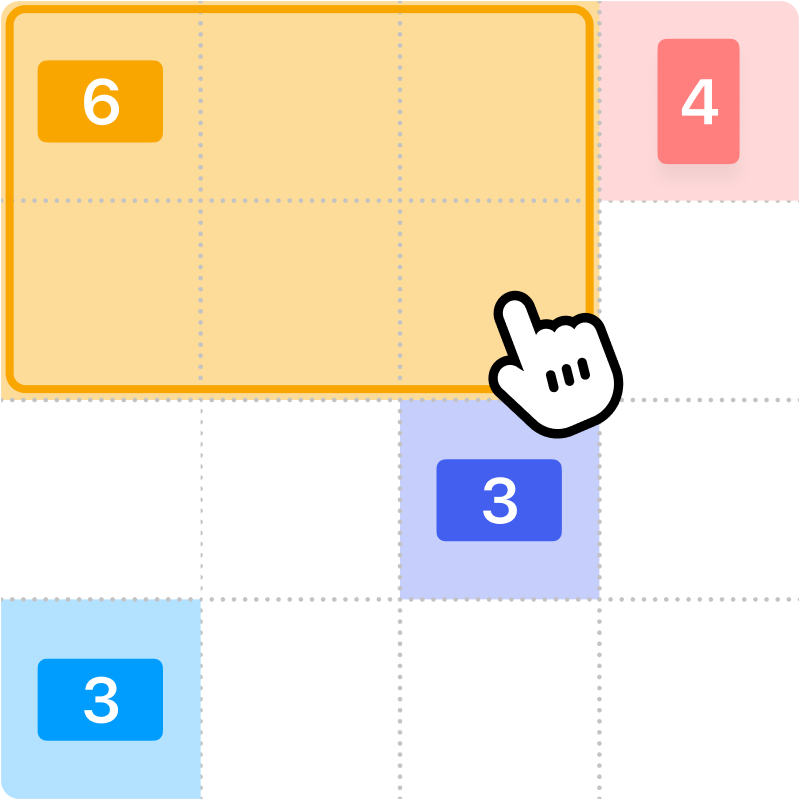
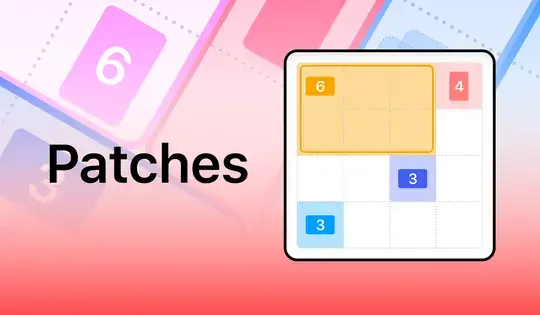
Fill up the grid with colorful shapes that won't overlap! Cells with a number on them show how many cells need to be that color. To start making your shapes, click on a numbered cell and drag your mouse to create the shape. You'll see which shape you need to make based on the icon in the numbered cell. Shapes are either squares, tall rectangles, or wide rectangles. There is also one special shape that can be a tall rectangle, wide rectangle, or square!

Once you've created the shape, release the mouse button. If the shape you made was incorrect, click on it to remove it from the grid. You can also click the Undo button to undo your last move. If you get stuck, click the Hint button to see where to draw your shape.

Try to finish the game as fast as possible, and come back each day for a new puzzle!

用不重叠的彩色形状填满网格!带有数字的单元格表示需要多少个该颜色的单元格。要开始绘制形状,请点击带有数字的单元格并拖动鼠标来创建形状。您会根据数字单元格中的图标看到需要绘制的形状。形状分为正方形、长方形和宽方形。还有一种特殊形状,它可以是长方形、宽方形或正方形!

创建形状后,松开鼠标按钮。如果创建的形状不正确,请单击它将其从网格中移除。您也可以单击“撤销”按钮撤销上一步操作。如果遇到困难,请单击“提示”按钮查看绘制形状的位置。

尽量尽快完成游戏,每天都来挑战新的谜题吧!
游戏进度

0 XP
类型:
更新:
Jun 22, 2026
发布:
Jun 22, 2026
平台:
Browser

指示

Fill up the grid with colorful shapes that won't overlap! Cells with a number on them show how many cells need to be that color. To start making your shapes, click on a numbered cell and drag your mouse to create the shape. You'll see which shape you need to make based on the icon in the numbered cell. Shapes are either squares, tall rectangles, or wide rectangles. There is also one special shape that can be a tall rectangle, wide rectangle, or square!

Once you've created the shape, release the mouse button. If the shape you made was incorrect, click on it to remove it from the grid. You can also click the Undo button to undo your last move. If you get stuck, click the Hint button to see where to draw your shape.

Try to finish the game as fast as possible, and come back each day for a new puzzle!

用不重叠的彩色形状填满网格!带有数字的单元格表示需要多少个该颜色的单元格。要开始绘制形状,请点击带有数字的单元格并拖动鼠标来创建形状。您会根据数字单元格中的图标看到需要绘制的形状。形状分为正方形、长方形和宽方形。还有一种特殊形状,它可以是长方形、宽方形或正方形!

创建形状后,松开鼠标按钮。如果创建的形状不正确,请单击它将其从网格中移除。您也可以单击“撤销”按钮撤销上一步操作。如果遇到困难,请单击“提示”按钮查看绘制形状的位置。

尽量尽快完成游戏,每天都来挑战新的谜题吧!