






Sorry... this game is not playable in your browser.

This Flash game is currently not playable in your browser, but we're working on a fix! Come back regularly to see if it's ready to play.
Most browsers no longer support Flash. Affected games are indicated by


Patches by LinkedIn
Game content reviewed byJonathan Keefer
Instructions
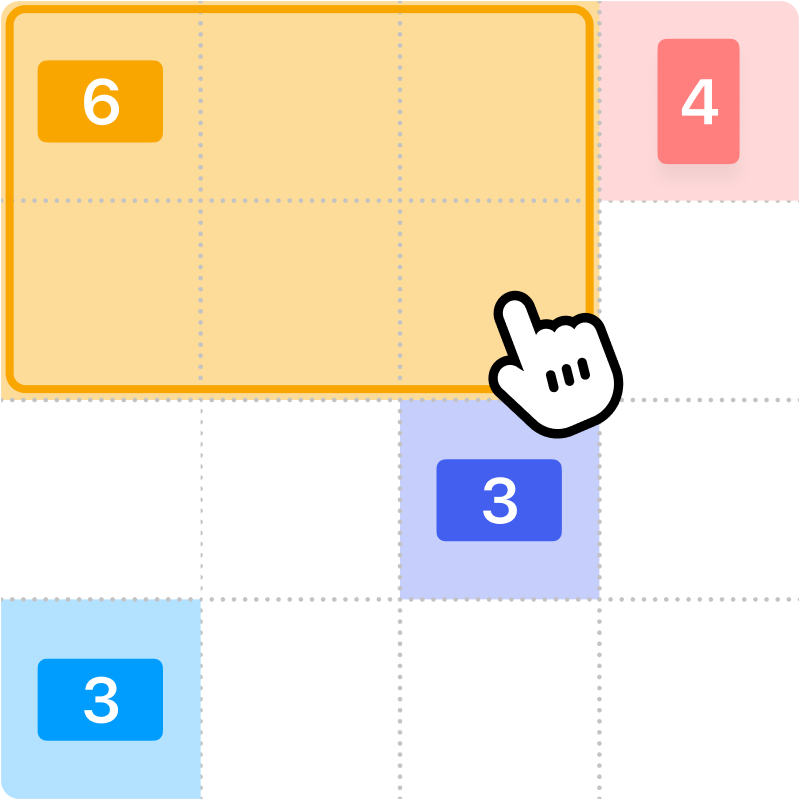
Fill up the grid with colorful shapes that won't overlap! Cells with a number on them show how many cells need to be that color. To start making your shapes, click on a numbered cell and drag your mouse to create the shape. You'll see which shape you need to make based on the icon in the numbered cell. Shapes are either squares, tall rectangles, or wide rectangles. There is also one special shape that can be a tall rectangle, wide rectangle, or square!
Once you've created the shape, release the mouse button. If the shape you made was incorrect, click on it to remove it from the grid. You can also click the Undo button to undo your last move. If you get stuck, click the Hint button to see where to draw your shape.
Try to finish the game as fast as possible, and come back each day for a new puzzle!
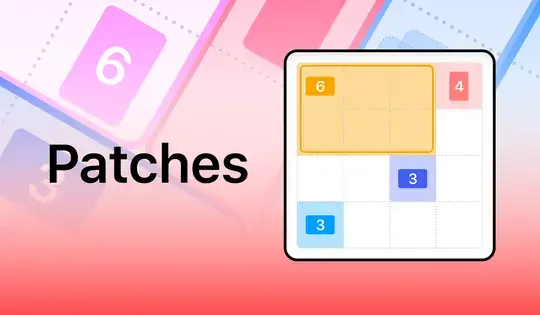
Fill up the grid with colorful shapes that won't overlap! Cells with a number on them show how many cells need to be that color. To start making your shapes, click on a numbered cell and drag your mouse to create the shape. You'll see which shape you need to make based on the icon in the numbered cell. Shapes are either squares, tall rectangles, or wide rectangles. There is also one special shape that can be a tall rectangle, wide rectangle, or square!
Once you've created the shape, release the mouse button. If the shape you made was incorrect, click on it to remove it from the grid. You can also click the Undo button to undo your last move. If you get stuck, click the Hint button to see where to draw your shape.
Try to finish the game as fast as possible, and come back each day for a new puzzle!
Just a moment while your advertisement loads
Advertisement
Just a moment while your advertisement loads
Advertisement
Patches by LinkedIn
Game content reviewed byJonathan Keefer
Instructions
Fill up the grid with colorful shapes that won't overlap! Cells with a number on them show how many cells need to be that color. To start making your shapes, click on a numbered cell and drag your mouse to create the shape. You'll see which shape you need to make based on the icon in the numbered cell. Shapes are either squares, tall rectangles, or wide rectangles. There is also one special shape that can be a tall rectangle, wide rectangle, or square!
Once you've created the shape, release the mouse button. If the shape you made was incorrect, click on it to remove it from the grid. You can also click the Undo button to undo your last move. If you get stuck, click the Hint button to see where to draw your shape.
Try to finish the game as fast as possible, and come back each day for a new puzzle!
Fill up the grid with colorful shapes that won't overlap! Cells with a number on them show how many cells need to be that color. To start making your shapes, click on a numbered cell and drag your mouse to create the shape. You'll see which shape you need to make based on the icon in the numbered cell. Shapes are either squares, tall rectangles, or wide rectangles. There is also one special shape that can be a tall rectangle, wide rectangle, or square!
Once you've created the shape, release the mouse button. If the shape you made was incorrect, click on it to remove it from the grid. You can also click the Undo button to undo your last move. If you get stuck, click the Hint button to see where to draw your shape.
Try to finish the game as fast as possible, and come back each day for a new puzzle!


