





Wordmeister icon

Wordmeister

Genre:
Updated:
Oct 06, 2026
Release:
Oct 06, 2026
Skills:
Decision Making, Articulation
Platforms:
Browser, Mobile

Wordmeister Game Instructions

Place letter tiles on the board to form words and score the most points! When you start a game, you and your opponent will randomly be given a letter tile. The player with the letter closest to the beginning of the alphabet will go first! The first word played must always cover the star square on the board. You and your opponent will take turns creating new words.

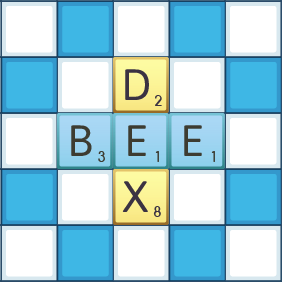
Your letter tiles are at the bottom of the screen. Each tile shows a letter and a small number in the bottom right corner, indicating how many points you will earn if you use that tile in a word. Drag a tile onto the board and release to place it. 

To complete your turn:

  1. You must form a valid dictionary word
  2. You may only play tiles in a single row or column.
  3. New words must connect to existing tiles on the board, if any.
  4. Tap the "Play" button to end your turn.

Some tiles are blank: these tiles are WILD. To use a wild tile in a word, tap on the tile, select the letter you want the tile to be, and place it on the board. This tile is worth 0 points.

The colorful squares on the board will help you get more points:

  • Star square: Doubles the value of the word played on it
  • Orange square: Doubles the value of the word played on it
  • Red square: Triples the value of any word played on it
  • Blue square: Doubles the value of the letter played on it
  • Green square: Triples the value of the letter played on it

If you're stumped trying to form a word, tap the Hint button. It will show you a word you can form with the letters you have. You can also tap the Swap button to exchange some of your tiles for new ones. After pressing Swap, tap on the tiles you want to exchange and you will be given the same number of random tiles from the tile bag. However, swapping tiles will use up your turn. Alternatively, you can also skip your turn.

The game ends when the tile bag is empty and one player uses their last tile, or if both players pass twice in a row. Once this happens, players subtract unplayed letter values from their scores. The player with the highest final score is the Wordmeister!
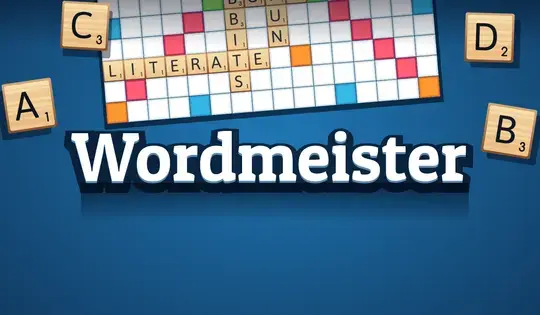
Place letter tiles on the board to form words and score the most points! When you start a game, you and your opponent will randomly be given a letter tile. The player with the letter closest to the beginning of the alphabet will go first! The first word played must always cover the star square on the board. You and your opponent will take turns creating new words.

Your letter tiles are at the bottom of the screen. Each tile shows a letter and a small number in the bottom right corner, indicating how many points you will earn if you use that tile in a word. Click on a tile and drag it onto the board. When you find the square you want to place your tile on, release the mouse button.

To complete your turn:

  1. You must form a valid dictionary word
  2. You may only play tiles in a single row or column.
  3. New words must connect to existing tiles on the board, if any.
  4. Click the "Play" button to end your turn.

Some tiles are blank: these tiles are WILD. To use a wild tile in a word, click on the tile, then click on the letter you want the tile to be and place it on the board. This tile is worth 0 points.

The colorful squares on the board will help you get more points:

  • Star square: Doubles the value of the word played on it
  • Orange square: Doubles the value of the word played on it
  • Red square: Triples the value of any word played on it
  • Blue square: Doubles the value of the letter played on it
  • Green square: Triples the value of the letter played on it

If you're stumped trying to form a word, click the Hint button. It will show you a word you can form with the letters you have. You can also click the Swap button to exchange some of your tiles for new ones. After pressing Swap, click on the tiles you want to exchange and you will be given the same number of random tiles from the tile bag. However, swapping tiles will use up your turn. Alternatively, you can also skip your turn.

The game ends when the tile bag is empty and one player uses their last tile, or if both players pass twice in a row. Once this happens, players subtract unplayed letter values from their scores. The player with the highest final score is the Wordmeister!

Game Progress

0 XP
Genre:
Updated:
Oct 06, 2026
Release:
Oct 06, 2026
Skills:
Decision Making, Articulation
Platforms:
Browser, Mobile

Wordmeister Game Instructions

Place letter tiles on the board to form words and score the most points! When you start a game, you and your opponent will randomly be given a letter tile. The player with the letter closest to the beginning of the alphabet will go first! The first word played must always cover the star square on the board. You and your opponent will take turns creating new words.

Your letter tiles are at the bottom of the screen. Each tile shows a letter and a small number in the bottom right corner, indicating how many points you will earn if you use that tile in a word. Drag a tile onto the board and release to place it. 

To complete your turn:

  1. You must form a valid dictionary word
  2. You may only play tiles in a single row or column.
  3. New words must connect to existing tiles on the board, if any.
  4. Tap the "Play" button to end your turn.

Some tiles are blank: these tiles are WILD. To use a wild tile in a word, tap on the tile, select the letter you want the tile to be, and place it on the board. This tile is worth 0 points.

The colorful squares on the board will help you get more points:

  • Star square: Doubles the value of the word played on it
  • Orange square: Doubles the value of the word played on it
  • Red square: Triples the value of any word played on it
  • Blue square: Doubles the value of the letter played on it
  • Green square: Triples the value of the letter played on it

If you're stumped trying to form a word, tap the Hint button. It will show you a word you can form with the letters you have. You can also tap the Swap button to exchange some of your tiles for new ones. After pressing Swap, tap on the tiles you want to exchange and you will be given the same number of random tiles from the tile bag. However, swapping tiles will use up your turn. Alternatively, you can also skip your turn.

The game ends when the tile bag is empty and one player uses their last tile, or if both players pass twice in a row. Once this happens, players subtract unplayed letter values from their scores. The player with the highest final score is the Wordmeister!

Place letter tiles on the board to form words and score the most points! When you start a game, you and your opponent will randomly be given a letter tile. The player with the letter closest to the beginning of the alphabet will go first! The first word played must always cover the star square on the board. You and your opponent will take turns creating new words.

Your letter tiles are at the bottom of the screen. Each tile shows a letter and a small number in the bottom right corner, indicating how many points you will earn if you use that tile in a word. Click on a tile and drag it onto the board. When you find the square you want to place your tile on, release the mouse button.

To complete your turn:

  1. You must form a valid dictionary word
  2. You may only play tiles in a single row or column.
  3. New words must connect to existing tiles on the board, if any.
  4. Click the "Play" button to end your turn.

Some tiles are blank: these tiles are WILD. To use a wild tile in a word, click on the tile, then click on the letter you want the tile to be and place it on the board. This tile is worth 0 points.

The colorful squares on the board will help you get more points:

  • Star square: Doubles the value of the word played on it
  • Orange square: Doubles the value of the word played on it
  • Red square: Triples the value of any word played on it
  • Blue square: Doubles the value of the letter played on it
  • Green square: Triples the value of the letter played on it

If you're stumped trying to form a word, click the Hint button. It will show you a word you can form with the letters you have. You can also click the Swap button to exchange some of your tiles for new ones. After pressing Swap, click on the tiles you want to exchange and you will be given the same number of random tiles from the tile bag. However, swapping tiles will use up your turn. Alternatively, you can also skip your turn.

The game ends when the tile bag is empty and one player uses their last tile, or if both players pass twice in a row. Once this happens, players subtract unplayed letter values from their scores. The player with the highest final score is the Wordmeister!