





申し訳ありません...このゲームはブラウザで再生できません。

このフラッシュゲームは現在、ブラウザでは再生できませんが、修正に取り組んでいます!定期的に戻って、プレイする準備ができているかどうかを確認してください。
ほとんどのブラウザはフラッシュをサポートしなくなりました。影響を受けるゲームはによって示されます


レビューしたゲーム内容Antonia Gates
指示
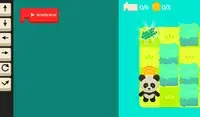
Program your way to the goal! Your player will not move until you give your commands. On the right side of the screen is the command prompt, where you will see the different commands available. These commands will determine how the player moves.
Click on a command to add it to the prompt. If you select a command that makes the player move, a slider will appear next to it. Move the slider to the number of times you want the player to move in that direction. Once you've finished, click the Play Level button to make your player move. Try to plan out each level so you can collect all three stars!
The position of each command is important! The first command you select will run first, then the second one will run, and so on. If you want to move a command, press the arrow next to that command to move it up or down. To remove a command, press the X button next to that command. If you don't see the arrows or X button, use the scrollbar on the bottom to see them.
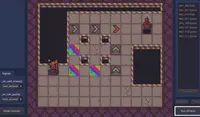
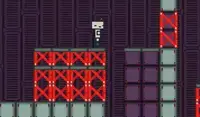
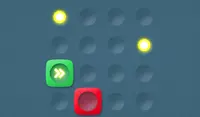
In some levels, there are obstacles to avoid. Avoid red spikes and be careful of red blocks; these blocks will move their position after every movement you make. If you get hit, you'll need to start over!
ゴールを目指して、プログラムを作りましょう!プレイヤーはあなたが指示を出すまで動きません。画面右側にはコマンドプロンプトがあり、利用可能な様々なコマンドが表示されます。これらのコマンドによって、プレイヤーの動きが決まります。
コマンドをクリックしてプロンプトに追加します。プレイヤーを動かすコマンドを選択すると、コマンドの横にスライダーが表示されます。スライダーを動かして、プレイヤーをその方向に移動させたい回数を設定します。設定が完了したら、「レベルをプレイ」ボタンをクリックしてプレイヤーを動かします。3つの星をすべて集められるように、各レベルを計画的に進めていきましょう!
各コマンドの位置は重要です!最初に選択したコマンドが最初に実行され、次に2番目に選択したコマンドが実行されます。コマンドを移動するには、そのコマンドの横にある矢印を押して上下に移動します。コマンドを削除するには、そのコマンドの横にあるXボタンを押します。矢印やXボタンが表示されない場合は、下部のスクロールバーを使って表示してください。
いくつかのレベルでは、避けるべき障害物があります。赤いスパイクを避け、赤いブロックにも注意してください。これらのブロックは、プレイヤーが動くたびに位置が変わります。ぶつかってしまうと、最初からやり直しになります!
Just a moment while your advertisement loads
広告
Just a moment while your advertisement loads
広告
Ziel
レビューしたゲーム内容Antonia Gates
指示
Program your way to the goal! Your player will not move until you give your commands. On the right side of the screen is the command prompt, where you will see the different commands available. These commands will determine how the player moves.
Click on a command to add it to the prompt. If you select a command that makes the player move, a slider will appear next to it. Move the slider to the number of times you want the player to move in that direction. Once you've finished, click the Play Level button to make your player move. Try to plan out each level so you can collect all three stars!
The position of each command is important! The first command you select will run first, then the second one will run, and so on. If you want to move a command, press the arrow next to that command to move it up or down. To remove a command, press the X button next to that command. If you don't see the arrows or X button, use the scrollbar on the bottom to see them.
In some levels, there are obstacles to avoid. Avoid red spikes and be careful of red blocks; these blocks will move their position after every movement you make. If you get hit, you'll need to start over!
ゴールを目指して、プログラムを作りましょう!プレイヤーはあなたが指示を出すまで動きません。画面右側にはコマンドプロンプトがあり、利用可能な様々なコマンドが表示されます。これらのコマンドによって、プレイヤーの動きが決まります。
コマンドをクリックしてプロンプトに追加します。プレイヤーを動かすコマンドを選択すると、コマンドの横にスライダーが表示されます。スライダーを動かして、プレイヤーをその方向に移動させたい回数を設定します。設定が完了したら、「レベルをプレイ」ボタンをクリックしてプレイヤーを動かします。3つの星をすべて集められるように、各レベルを計画的に進めていきましょう!
各コマンドの位置は重要です!最初に選択したコマンドが最初に実行され、次に2番目に選択したコマンドが実行されます。コマンドを移動するには、そのコマンドの横にある矢印を押して上下に移動します。コマンドを削除するには、そのコマンドの横にあるXボタンを押します。矢印やXボタンが表示されない場合は、下部のスクロールバーを使って表示してください。
いくつかのレベルでは、避けるべき障害物があります。赤いスパイクを避け、赤いブロックにも注意してください。これらのブロックは、プレイヤーが動くたびに位置が変わります。ぶつかってしまうと、最初からやり直しになります!


