












Ziel
 4.5 / 5(161 Votes)
Instructions
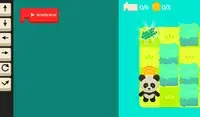
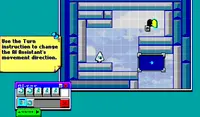
Program your way to the goal! Your player will not move until you give your commands. On the right side of the screen is the command prompt, where you will see the different commands available. These commands will determine how the player moves.
Click on a command to add it to the prompt. If you select a command that makes the player move, a slider will appear next to it. Move the slider to the number of times you want the player to move in that direction. Once you've finished, click the Play Level button to make your player move. Try to plan out each level so you can collect all three stars!
The position of each command is important! The first command you select will run first, then the second one will run, and so on. If you want to move a command, press the arrow next to that command to move it up or down. To remove a command, press the X button next to that command. If you don't see the arrows or X button, use the scrollbar on the bottom to see them.
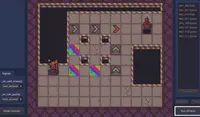
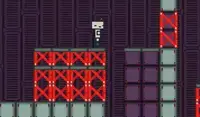
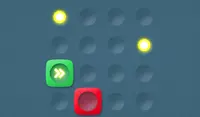
In some levels, there are obstacles to avoid. Avoid red spikes and be careful of red blocks; these blocks will move their position after every movement you make. If you get hit, you'll need to start over!
Programmez votre progression jusqu'à l'objectif ! Votre personnage ne bougera pas tant que vous n'aurez pas donné vos ordres. L'invite de commandes, située à droite de l'écran, affiche les différentes commandes disponibles. Ces commandes détermineront les déplacements du personnage.
Cliquez sur une commande pour l'ajouter à l'invite. Si vous sélectionnez une commande qui déplace le joueur, un curseur apparaîtra à côté. Déplacez le curseur jusqu'au nombre de déplacements souhaités dans cette direction. Une fois terminé, cliquez sur le bouton « Jouer au niveau » pour faire avancer votre personnage. Essayez de bien planifier chaque niveau afin de collecter les trois étoiles !
L'ordre des commandes est important ! La première commande sélectionnée s'exécutera en premier, puis la deuxième, et ainsi de suite. Pour déplacer une commande, appuyez sur la flèche située à côté. Pour supprimer une commande, appuyez sur le bouton X situé à côté. Si les flèches ou le bouton X ne sont pas visibles, utilisez la barre de défilement en bas de l'écran.
Dans certains niveaux, des obstacles sont à éviter. Évitez les pics rouges et faites attention aux blocs rouges ; ces blocs changent de position à chaque mouvement. Si vous êtes touché, vous devrez recommencer !
Progression du jeu

 4.5 / 5(161 Votes)
Instructions
Votes