





抱歉...这个游戏在您的浏览器中无法播放。

此Flash游戏当前在您的浏览器中不可玩,但我们正在研究修复程序!定期回来看看是否准备好玩。
大多数浏览器不再支持闪光灯。受影响的游戏由


游戏内容审核者Antonia Gates
指示
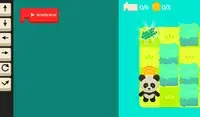
Program your way to the goal! Your player will not move until you give your commands. On the right side of the screen is the command prompt, where you will see the different commands available. These commands will determine how the player moves.
Click on a command to add it to the prompt. If you select a command that makes the player move, a slider will appear next to it. Move the slider to the number of times you want the player to move in that direction. Once you've finished, click the Play Level button to make your player move. Try to plan out each level so you can collect all three stars!
The position of each command is important! The first command you select will run first, then the second one will run, and so on. If you want to move a command, press the arrow next to that command to move it up or down. To remove a command, press the X button next to that command. If you don't see the arrows or X button, use the scrollbar on the bottom to see them.
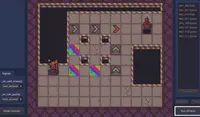
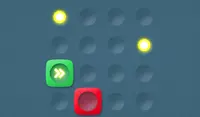
In some levels, there are obstacles to avoid. Avoid red spikes and be careful of red blocks; these blocks will move their position after every movement you make. If you get hit, you'll need to start over!
编写程序,带领你走向胜利!你的球员只有在你发出指令后才会移动。屏幕右侧是指令提示框,你可以在这里看到各种可用的指令。这些指令将决定球员的移动方式。
点击指令即可将其添加到提示框中。如果选择的指令是让玩家移动,旁边会出现一个滑块。滑动滑块,设置玩家朝该方向移动的次数。完成后,点击“开始游戏”按钮即可让玩家移动。尽量规划好每个关卡的路线,争取收集到全部三颗星!
每个命令的位置都很重要!您选择的第一个命令会先运行,然后是第二个,依此类推。如果您想移动某个命令,请按该命令旁边的箭头将其向上或向下移动。要删除某个命令,请按该命令旁边的 X 按钮。如果您看不到箭头或 X 按钮,请使用底部的滚动条查看。
在某些关卡中,你需要避开障碍物。小心红色尖刺和红色方块;这些方块会随着你的每次移动而改变位置。如果你被击中,就必须重新开始!
Just a moment while your advertisement loads
广告
Just a moment while your advertisement loads
广告
Ziel
游戏内容审核者Antonia Gates
指示
Program your way to the goal! Your player will not move until you give your commands. On the right side of the screen is the command prompt, where you will see the different commands available. These commands will determine how the player moves.
Click on a command to add it to the prompt. If you select a command that makes the player move, a slider will appear next to it. Move the slider to the number of times you want the player to move in that direction. Once you've finished, click the Play Level button to make your player move. Try to plan out each level so you can collect all three stars!
The position of each command is important! The first command you select will run first, then the second one will run, and so on. If you want to move a command, press the arrow next to that command to move it up or down. To remove a command, press the X button next to that command. If you don't see the arrows or X button, use the scrollbar on the bottom to see them.
In some levels, there are obstacles to avoid. Avoid red spikes and be careful of red blocks; these blocks will move their position after every movement you make. If you get hit, you'll need to start over!
编写程序,带领你走向胜利!你的球员只有在你发出指令后才会移动。屏幕右侧是指令提示框,你可以在这里看到各种可用的指令。这些指令将决定球员的移动方式。
点击指令即可将其添加到提示框中。如果选择的指令是让玩家移动,旁边会出现一个滑块。滑动滑块,设置玩家朝该方向移动的次数。完成后,点击“开始游戏”按钮即可让玩家移动。尽量规划好每个关卡的路线,争取收集到全部三颗星!
每个命令的位置都很重要!您选择的第一个命令会先运行,然后是第二个,依此类推。如果您想移动某个命令,请按该命令旁边的箭头将其向上或向下移动。要删除某个命令,请按该命令旁边的 X 按钮。如果您看不到箭头或 X 按钮,请使用底部的滚动条查看。
在某些关卡中,你需要避开障碍物。小心红色尖刺和红色方块;这些方块会随着你的每次移动而改变位置。如果你被击中,就必须重新开始!


