












Ziel

 4.5 / 5(162 वोट)
निर्देश
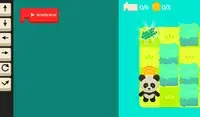
Program your way to the goal! Your player will not move until you give your commands. On the right side of the screen is the command prompt, where you will see the different commands available. These commands will determine how the player moves.
Click on a command to add it to the prompt. If you select a command that makes the player move, a slider will appear next to it. Move the slider to the number of times you want the player to move in that direction. Once you've finished, click the Play Level button to make your player move. Try to plan out each level so you can collect all three stars!
The position of each command is important! The first command you select will run first, then the second one will run, and so on. If you want to move a command, press the arrow next to that command to move it up or down. To remove a command, press the X button next to that command. If you don't see the arrows or X button, use the scrollbar on the bottom to see them.
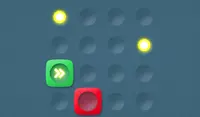
In some levels, there are obstacles to avoid. Avoid red spikes and be careful of red blocks; these blocks will move their position after every movement you make. If you get hit, you'll need to start over!
अपने लक्ष्य तक पहुँचने के लिए प्रोग्रामिंग का इस्तेमाल करें! जब तक आप आदेश नहीं देंगे, आपका खिलाड़ी हिलेगा नहीं। स्क्रीन के दाईं ओर कमांड प्रॉम्प्ट है, जहाँ आपको उपलब्ध विभिन्न कमांड दिखाई देंगे। ये कमांड खिलाड़ी की गति निर्धारित करेंगे।
प्रॉम्प्ट में कमांड जोड़ने के लिए उस पर क्लिक करें। यदि आप खिलाड़ी को चलाने वाली कमांड चुनते हैं, तो उसके बगल में एक स्लाइडर दिखाई देगा। स्लाइडर को उस संख्या पर सेट करें जितनी बार आप खिलाड़ी को उस दिशा में चलाना चाहते हैं। पूरा होने पर, खिलाड़ी को चलाने के लिए 'प्ले लेवल' बटन पर क्लिक करें। प्रत्येक लेवल की योजना इस प्रकार बनाएं कि आप तीनों स्टार प्राप्त कर सकें!
प्रत्येक कमांड की स्थिति महत्वपूर्ण है! आपके द्वारा चुनी गई पहली कमांड पहले चलेगी, फिर दूसरी, और इसी तरह आगे भी। यदि आप किसी कमांड को स्थानांतरित करना चाहते हैं, तो उसे ऊपर या नीचे ले जाने के लिए उसके बगल में स्थित तीर का बटन दबाएँ। किसी कमांड को हटाने के लिए, उसके बगल में स्थित X बटन दबाएँ। यदि आपको तीर या X बटन दिखाई नहीं दे रहे हैं, तो उन्हें देखने के लिए नीचे स्क्रॉल बार का उपयोग करें।
कुछ स्तरों में, बाधाओं से बचना होगा। लाल नुकीली चीज़ों से बचें और लाल ब्लॉकों से सावधान रहें; ये ब्लॉक आपके हर कदम के बाद अपनी जगह बदल लेंगे। अगर आप इनसे टकराते हैं, तो आपको फिर से शुरू करना होगा!

खेल प्रगति

 4.5 / 5(162 वोट)
निर्देश
वोट