












Ziel
 4.5 / 5(161 Votos)
Instrucciones
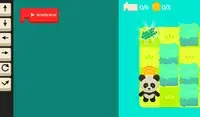
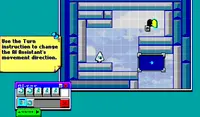
Program your way to the goal! Your player will not move until you give your commands. On the right side of the screen is the command prompt, where you will see the different commands available. These commands will determine how the player moves.
Click on a command to add it to the prompt. If you select a command that makes the player move, a slider will appear next to it. Move the slider to the number of times you want the player to move in that direction. Once you've finished, click the Play Level button to make your player move. Try to plan out each level so you can collect all three stars!
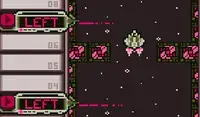
The position of each command is important! The first command you select will run first, then the second one will run, and so on. If you want to move a command, press the arrow next to that command to move it up or down. To remove a command, press the X button next to that command. If you don't see the arrows or X button, use the scrollbar on the bottom to see them.
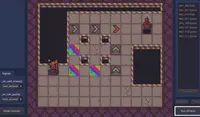
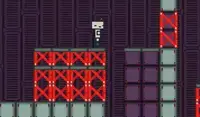
In some levels, there are obstacles to avoid. Avoid red spikes and be careful of red blocks; these blocks will move their position after every movement you make. If you get hit, you'll need to start over!
¡Programa tu camino hacia la meta! Tu jugador no se moverá hasta que le des órdenes. A la derecha de la pantalla está el símbolo del sistema, donde verás los diferentes comandos disponibles. Estos comandos determinarán cómo se mueve el jugador.
Haz clic en un comando para añadirlo al mensaje. Si seleccionas un comando que hace que el jugador se mueva, aparecerá un control deslizante junto a él. Mueve el control deslizante hasta el número de veces que quieras que el jugador se mueva en esa dirección. Al terminar, haz clic en el botón "Jugar nivel" para que tu jugador se mueva. ¡Planifica cada nivel para conseguir las tres estrellas!
La posición de cada comando es importante. El primer comando que selecciones se ejecutará primero, luego el segundo, y así sucesivamente. Si quieres mover un comando, pulsa la flecha junto a él para moverlo hacia arriba o hacia abajo. Para eliminar un comando, pulsa el botón X junto a él. Si no ves las flechas ni el botón X, usa la barra de desplazamiento inferior para verlos.
En algunos niveles, hay obstáculos que evitar. Evita los picos rojos y ten cuidado con los bloques rojos; estos cambiarán de posición con cada movimiento. Si te golpean, ¡tendrás que empezar de nuevo!

Progreso del juego

 4.5 / 5(161 Votos)
Instrucciones
Votos