Mini Sudoku by LinkedIn icon

Mini Sudoku by LinkedIn

Genre:
Updated:
Jun 12, 2026
Release:
Jun 12, 2026
Platforms:
Browser

Instructions

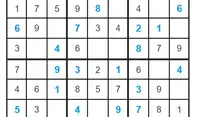
Put every number in its place! This bite-sized version of Sudoku only has 6 rows and columns. Your goal is to make sure each cell has a number 1-6 without repeating in a row, column, or box. Click on a square in the grid, then click on a number to place it. You can also type the number in on your keyboard.

If you place a repeating number in a row, column, or box, the cell will turn red. If you fill a row, column, or box correctly, that area will be highlighted in green for a brief moment! If you don't see the green highlight after filling in a section fully, it means a number is not in the correct spot.

You can click the Notes button to write notes in the cells for where to place the next number. If you get stuck, click on the Hint button to get a hint!

TIP: To see how many instances of a number need to be placed in the grid, click on Settings, then click "Count remaining numbers." This will show you how many instances of a number need to be placed in the grid!
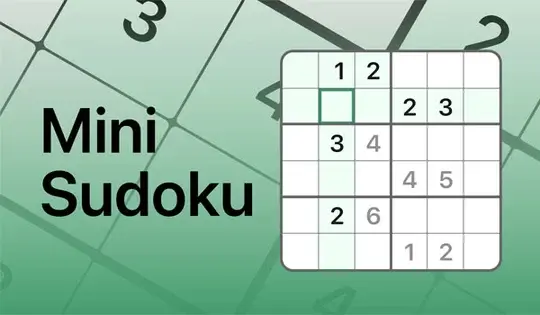
Put every number in its place! This bite-sized version of Sudoku only has 6 rows and columns. Your goal is to make sure each cell has a number 1-6 without repeating in a row, column, or box. Click on a square in the grid, then click on a number to place it. You can also type the number in on your keyboard.

If you place a repeating number in a row, column, or box, the cell will turn red. If you fill a row, column, or box correctly, that area will be highlighted in green for a brief moment! If you don't see the green highlight after filling in a section fully, it means a number is not in the correct spot.

You can click the Notes button to write notes in the cells for where to place the next number. If you get stuck, click on the Hint button to get a hint!

TIP: To see how many instances of a number need to be placed in the grid, click on Settings, then click "Count remaining numbers." This will show you how many instances of a number need to be placed in the grid!

Game Progress

0 XP
Genre:
Updated:
Jun 12, 2026
Release:
Jun 12, 2026
Platforms:
Browser

Instructions

Put every number in its place! This bite-sized version of Sudoku only has 6 rows and columns. Your goal is to make sure each cell has a number 1-6 without repeating in a row, column, or box. Click on a square in the grid, then click on a number to place it. You can also type the number in on your keyboard.

If you place a repeating number in a row, column, or box, the cell will turn red. If you fill a row, column, or box correctly, that area will be highlighted in green for a brief moment! If you don't see the green highlight after filling in a section fully, it means a number is not in the correct spot.

You can click the Notes button to write notes in the cells for where to place the next number. If you get stuck, click on the Hint button to get a hint!

TIP: To see how many instances of a number need to be placed in the grid, click on Settings, then click "Count remaining numbers." This will show you how many instances of a number need to be placed in the grid!

Put every number in its place! This bite-sized version of Sudoku only has 6 rows and columns. Your goal is to make sure each cell has a number 1-6 without repeating in a row, column, or box. Click on a square in the grid, then click on a number to place it. You can also type the number in on your keyboard.

If you place a repeating number in a row, column, or box, the cell will turn red. If you fill a row, column, or box correctly, that area will be highlighted in green for a brief moment! If you don't see the green highlight after filling in a section fully, it means a number is not in the correct spot.

You can click the Notes button to write notes in the cells for where to place the next number. If you get stuck, click on the Hint button to get a hint!

TIP: To see how many instances of a number need to be placed in the grid, click on Settings, then click "Count remaining numbers." This will show you how many instances of a number need to be placed in the grid!