15
 Mini Sudoku by LinkedIn icon
Mini Sudoku by LinkedIn
类型:
更新:
Jun 12, 2026
发布:
Jun 12, 2026
平台:
Browser

指示

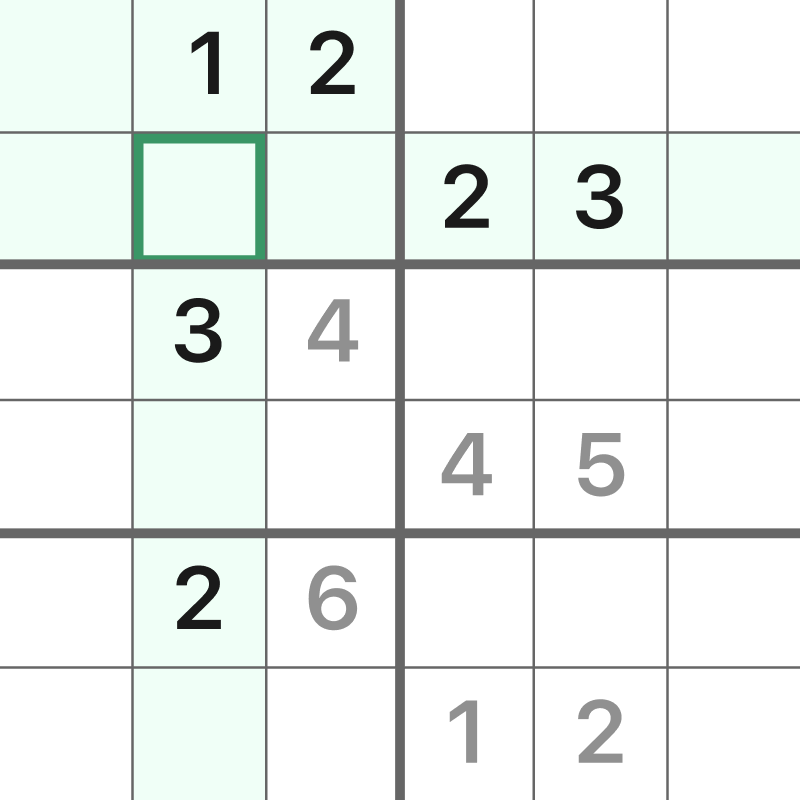
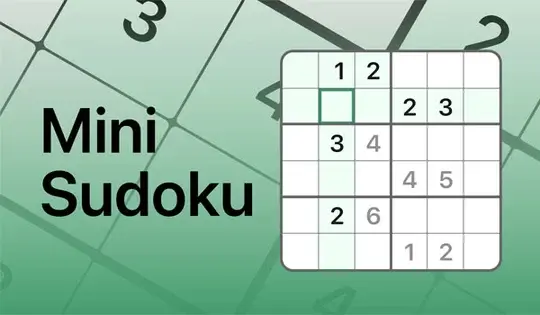
Put every number in its place! This bite-sized version of Sudoku only has 6 rows and columns. Your goal is to make sure each cell has a number 1-6 without repeating in a row, column, or box. Click on a square in the grid, then click on a number to place it. You can also type the number in on your keyboard.

If you place a repeating number in a row, column, or box, the cell will turn red. If you fill a row, column, or box correctly, that area will be highlighted in green for a brief moment! If you don't see the green highlight after filling in a section fully, it means a number is not in the correct spot.

You can click the Notes button to write notes in the cells for where to place the next number. If you get stuck, click on the Hint button to get a hint!

TIP: To see how many instances of a number need to be placed in the grid, click on Settings, then click "Count remaining numbers." This will show you how many instances of a number need to be placed in the grid!

把每个数字放回原位!这个迷你版数独只有 6 行 6 列。你的目标是确保每个单元格中的数字都是 1 到 6,且同一行、同一列或同一格内的数字不能重复。点击网格中的一个方格,然后点击一个数字来放置它。你也可以直接在键盘上输入数字。

如果在行、列或方框中输入重复数字,单元格将变为红色。如果正确填写了行、列或方框,该区域将短暂地以绿色高亮显示!如果在完全填写某个区域后没有看到绿色高亮显示,则表示某个数字的位置不正确。

您可以点击“备注”按钮,在单元格中添加备注,以便填写下一个数字的位置。如果您遇到困难,请点击“提示”按钮获取提示!

提示:要查看网格中需要放置多少个数字,请点击“设置”,然后点击“计算剩余数字”。这将显示网格中需要放置多少个数字!
游戏进度

0 XP
类型:
更新:
Jun 12, 2026
发布:
Jun 12, 2026
平台:
Browser

指示

Put every number in its place! This bite-sized version of Sudoku only has 6 rows and columns. Your goal is to make sure each cell has a number 1-6 without repeating in a row, column, or box. Click on a square in the grid, then click on a number to place it. You can also type the number in on your keyboard.

If you place a repeating number in a row, column, or box, the cell will turn red. If you fill a row, column, or box correctly, that area will be highlighted in green for a brief moment! If you don't see the green highlight after filling in a section fully, it means a number is not in the correct spot.

You can click the Notes button to write notes in the cells for where to place the next number. If you get stuck, click on the Hint button to get a hint!

TIP: To see how many instances of a number need to be placed in the grid, click on Settings, then click "Count remaining numbers." This will show you how many instances of a number need to be placed in the grid!

把每个数字放回原位!这个迷你版数独只有 6 行 6 列。你的目标是确保每个单元格中的数字都是 1 到 6,且同一行、同一列或同一格内的数字不能重复。点击网格中的一个方格,然后点击一个数字来放置它。你也可以直接在键盘上输入数字。

如果在行、列或方框中输入重复数字,单元格将变为红色。如果正确填写了行、列或方框,该区域将短暂地以绿色高亮显示!如果在完全填写某个区域后没有看到绿色高亮显示,则表示某个数字的位置不正确。

您可以点击“备注”按钮,在单元格中添加备注,以便填写下一个数字的位置。如果您遇到困难,请点击“提示”按钮获取提示!

提示:要查看网格中需要放置多少个数字,请点击“设置”,然后点击“计算剩余数字”。这将显示网格中需要放置多少个数字!