












UFO Blocks






Instructions
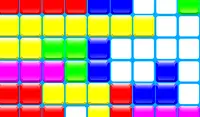
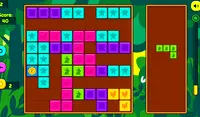
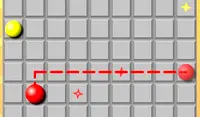
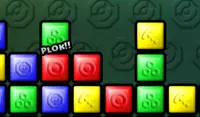
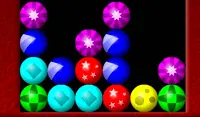
Tap X or Z to grab a block and tap the on-screen Arrow Buttons to move the UFO. When you're ready to place the block down, tap X or Z again. Your goal is to stack or align three or more blocks of the same color! When you need a new row, tap the Down Arrow.
There are three different modes to play UFO Blocks:
- Endless: Make as many matches as you can before the blocks reach the top. A new row of blocks will appear every few seconds
- Sprint: Score points as fast as you can to reach 100%. When you need a new row, tap the Down Arrow.
- Zen: There's no time limit, no score to get, just have fun and relax! When you need a new row, tap the Down Arrow.
Press X or Z to grab a block and use the Arrow Keys to move the UFO. When you're ready to place the block down, press X or Z again. Your goal is to stack or align three or more blocks of the same color! When you need a new row, press the Down Arrow.
There are three different modes to play UFO Blocks:
- Endless: Make as many matches as you can before the blocks reach the top. A new row of blocks will appear every few seconds
- Sprint: Score points as fast as you can to reach 100%. When you need a new row, press the Down Arrow.
- Zen: There's no time limit, no score to get, just have fun and relax! When you need a new row, press the Down Arrow.
How to play UFO Blocks on your phone
Did you know you can also play UFO Blocks on your phone? It’s a great way to play without worrying about losing your save data.
For iOS devices, simply tap the "Share" icon  in Safari and select "Add to Home Screen". For Android devices, tap the “Menu” icon
  and select "Install App".
Game Progress


Instructions
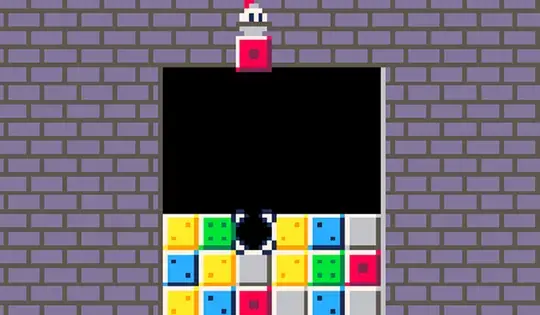
Tap X or Z to grab a block and tap the on-screen Arrow Buttons to move the UFO. When you're ready to place the block down, tap X or Z again. Your goal is to stack or align three or more blocks of the same color! When you need a new row, tap the Down Arrow.
There are three different modes to play UFO Blocks:
- Endless: Make as many matches as you can before the blocks reach the top. A new row of blocks will appear every few seconds
- Sprint: Score points as fast as you can to reach 100%. When you need a new row, tap the Down Arrow.
- Zen: There's no time limit, no score to get, just have fun and relax! When you need a new row, tap the Down Arrow.
How to play UFO Blocks on your phone
To play UFO Blocks easily any time, you can add it directly to your phone as an app. It’s a great way to play without worrying about losing your game save data.
For iOS devices, simply tap the "Share" icon in Safari and select "Add to Home Screen". For Android devices, tap the “Menu” icon and select "Install App".

Votes