












Naklejka 2



 4.4 / 5(173 Votes)
Instructions
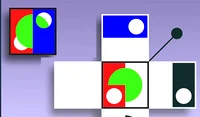
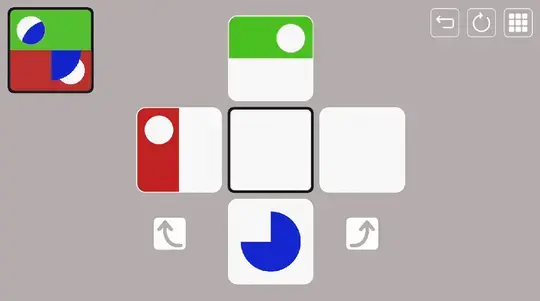
Tap on a shape to flip it onto the center panel. Your goal is to layer shapes in the right order and match the image in the upper-left corner!
In later levels, you'll be able to rotate pieces before placing them using the onscreen arrows.
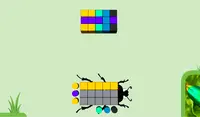
Some pieces will be black at first. Tap and drag a color block from the right side of your screen onto a black shape to color it.
Click on a shape to flip it onto the center panel. Your goal is to layer shapes in the right order and match the image in the upper-left corner!
In later levels, you'll be able to rotate pieces before placing them using the onscreen arrows.
Some pieces will be black at first. Click and drag a color block from the right side of your screen onto a black shape to color it.
How to play Naklejka 2 on your phone
Did you know you can also play Naklejka 2 on your phone? It’s a great way to play without worrying about losing your save data.
For iOS devices, simply tap the "Share" icon  in Safari and select "Add to Home Screen". For Android devices, tap the “Menu” icon
  and select "Install App".
Game Progress

 4.4 / 5(173 Votes)
Instructions
Tap on a shape to flip it onto the center panel. Your goal is to layer shapes in the right order and match the image in the upper-left corner!
In later levels, you'll be able to rotate pieces before placing them using the onscreen arrows.
Some pieces will be black at first. Tap and drag a color block from the right side of your screen onto a black shape to color it.
How to play Naklejka 2 on your phone
To play Naklejka 2 easily any time, you can add it directly to your phone as an app. It’s a great way to play without worrying about losing your game save data.
For iOS devices, simply tap the "Share" icon in Safari and select "Add to Home Screen". For Android devices, tap the “Menu” icon and select "Install App".
Votes